

From Customer Portal to Customer Asset Workspace: a name that truly reflects what you offer
It may seem like a small matter, but giving things the right name is the first step in communicating their value. In many cases, using the term “Customer Portal” or “dashboard” to describe the full set of self-service digital solutions that OEMs offer their customers is too limiting.
At Servitly, we realized this too. That's why we decided to stop calling our customer view “Customer Portal”, and to give it a name that truly expresses the potential of what you are offering: “Customer Asset Workspace”.
Customer Asset Workspace: a single operational environment for your customers
- Customer: an interface dedicated to your customers.
- Asset: a system that puts your products at the center, with data and functions built around them, whereas a customer portal puts functions at the center.
- Workspace: an environment that not only shows data and information, but also supports your customers in using, maintaining and optimizing the performance of your products, either independently or together with your technicians or partners.
360° support for your customers
What can your customers actually do in your Customer Asset Workspace?
- Know the product: access the digital passport, technical documentation and maintenance history.
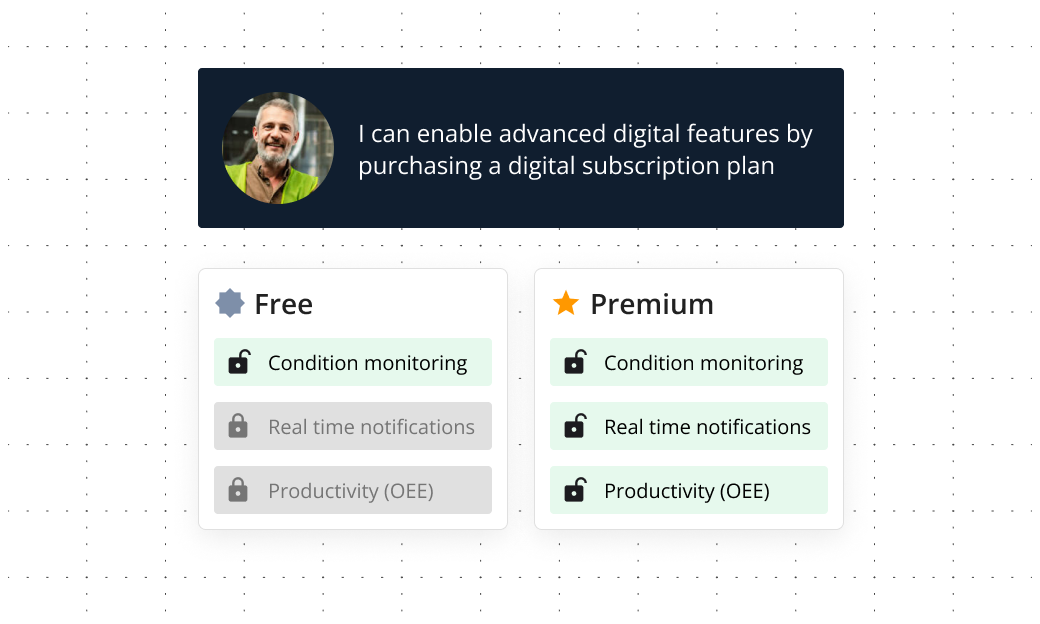
- Monitor and understand: analyse telemetry data; receive real-time notifications on anomalies and failures; review historical data on operating status and performance; analyze asset health and the root causes of downtime; view aggregated analytics by department, plant and site.
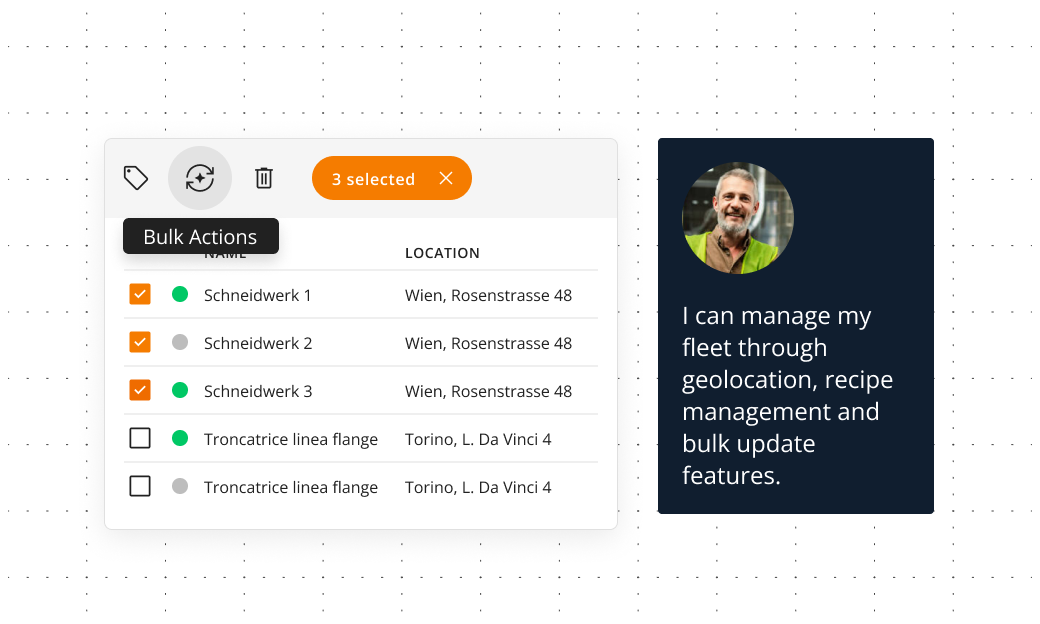
- Take action: get guidance to solve failures; receive maintenance recommendations and performance optimization tips; configure operating parameters remotely; open support tickets; interact with your technicians or partners.
- Buy: order spare parts, consumables and digital services right where the need arises or where the service is used, without switching to another application.
A name that sets you apart from the competition
Now, thanks to this new name, you can make it clear right away that what you offer is not the usual Customer Portal or “yet another dashboard”. It is something different and more valuable, and it sets you apart from your competitors.
Are you curious to see how you can build your Customer Asset Workspace with Servitly?


