

Updates on actions, tables, notifications and remedies that increase the value of your DPS
Over the last months, we have released updates designed to help you deliver more value to your DPS users and succeed in your Digital Servitization journey.
Here are the most relevant updates.
More control over maintenance processes with permissions for actions
When a user logs in to the DPS, they only see the information and features they need to do their job well. In particular, with actions, some users need to see them without being responsible for completing them.
For example, an Operator can see that a filter needs to be replaced, but only the Technician is responsible for the replacement and, once it is done, can mark the action as completed.
Now, when you configure the DPS, you can define the permission type on actions for each user type: read or manage.
This way, no action is completed by someone who is not responsible for it, and everyone keeps the visibility they need. The history of actions stays reliable, and it is easier to trace what happened in case of disputes or audits.
Deeper analisys with tables that compare multiple statistics
In the DPS, you can add tables that give an immediate, complete view of your products or other information, such as the distribution of product models or the number of customers per country.
You can now create tables in which each column display more than one statistic at time. This makes it easier to compare them and get a fuller picture without switching between tables.
For example, over a given period, an operations manager can see the number of work sessions and the total number of pieces produced, split into good and defective pieces, for each machine. A service manager can compare, for each customer, the number of failures and the total downtime (or the average downtime per machine).
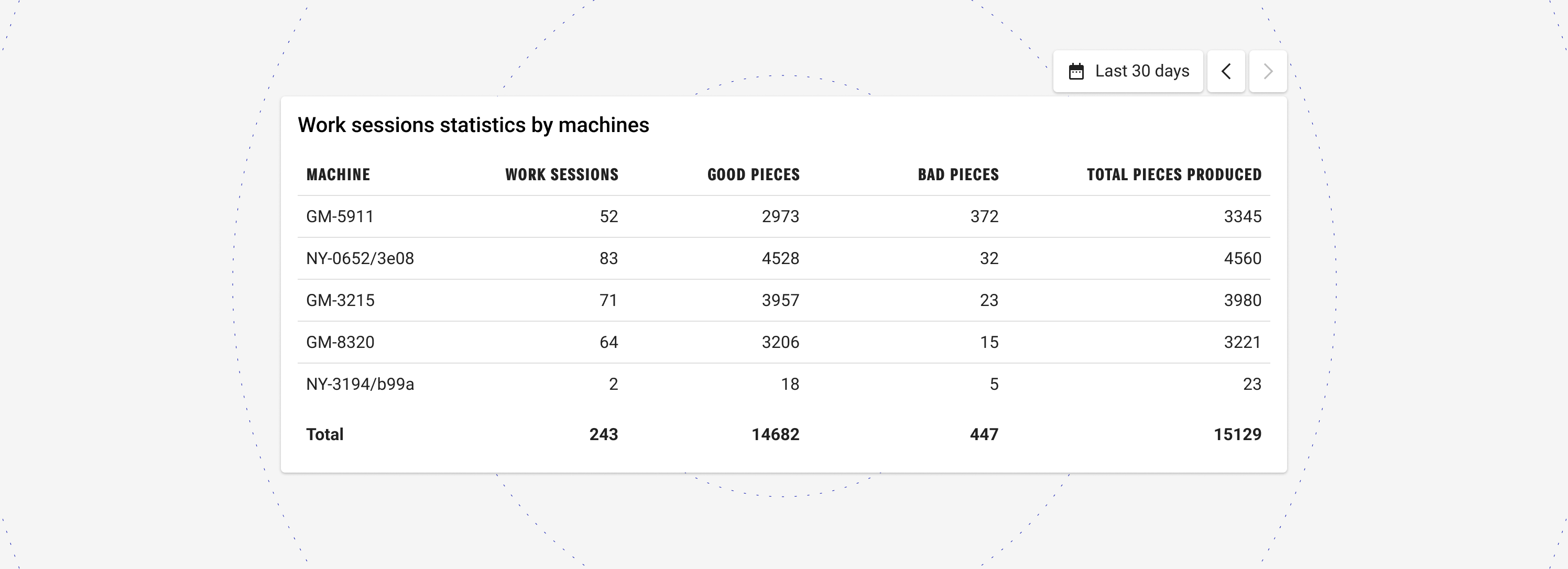
Automatic column totals make the data easier to read at a glance.
More freedom for DPS users to choose which notifications to receive
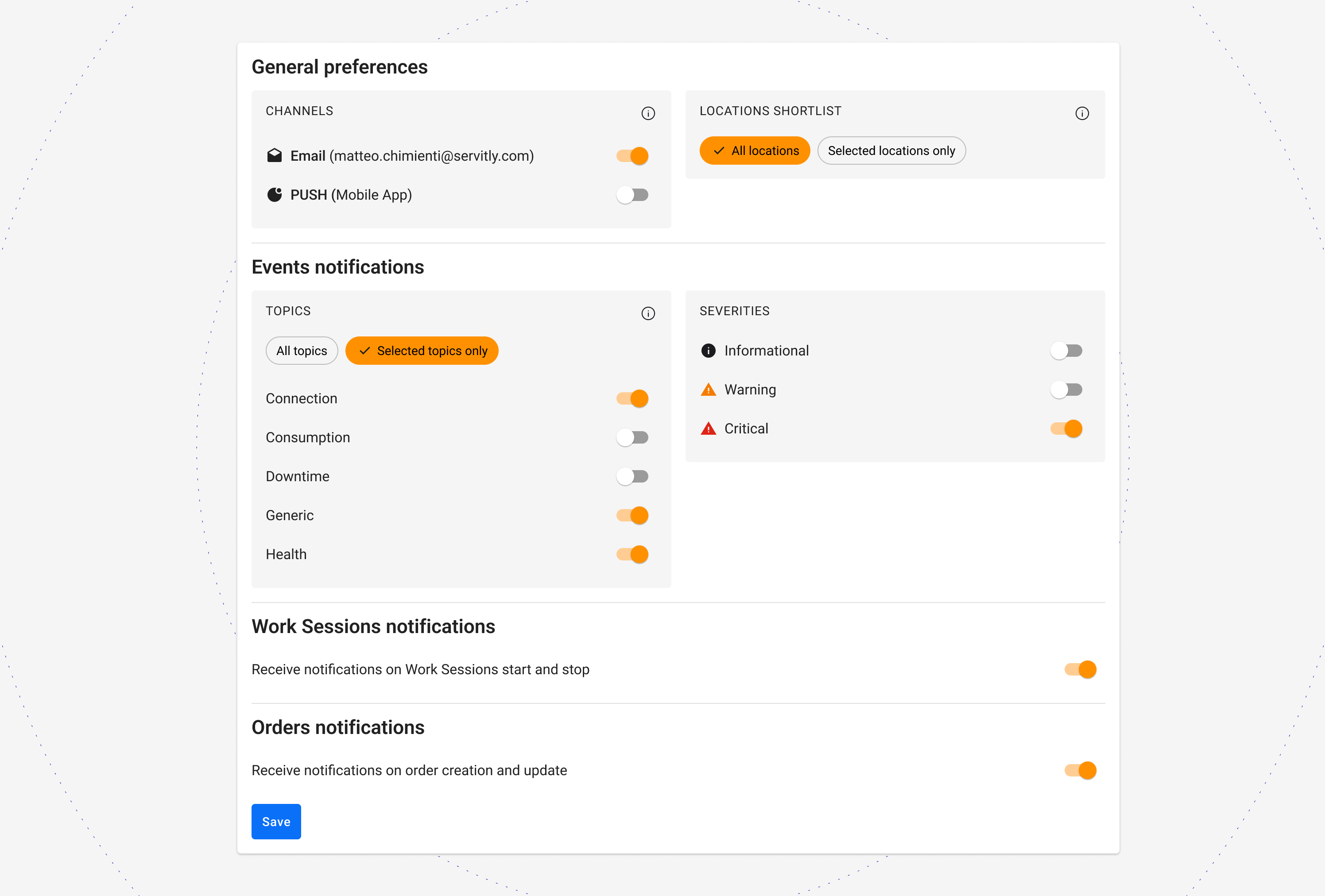
One of the risks of notifications is receiving so many that you cannot manage them and miss the ones that deserve priority attention. In addition to choosing the notification channels, DPS users can now also choose the topics of the notifications they receive.
This gives each user more granular control: they only receive notifications that are relevant to their role, their responsibilities or temporary needs. This reduces noise and lets them focus on the most important events.
Fewer errors with a list of remedies that is easier and faster to update
The data processing engine of Servitly’s DPS turns data from connected products into information, KPIs and remedies. Remedies are suggested actions that help solve a problem or anomaly detected automatically. The end customer or the technician who has to work on a machine is guided through the resolution of the problem.
However, solving a problem often requires a long sequence of remedies, and the knowledge behind them is stored outside the DPS, for example in manuals. Updating these remedies manually takes time and can lead to errors.
Now, in the DPS Configuration Console, you can export the list of remedies and import it again once it is updated. This way, the instructions in the DPS stay complete and up to date, and users solve problems with a lower risk of errors.
You can find all the latest Product Releases in our Learning Center.
Would you like to see the updates in action? Request a demo.


